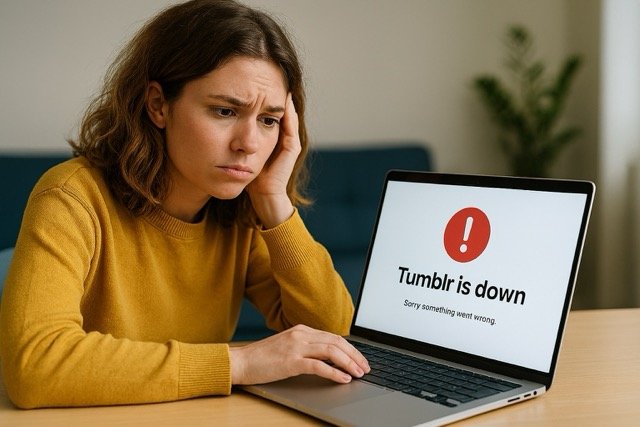

If Tumblr suddenly stops loading, your dashboard freezes, or the app refuses to cooperate, it’s natural to wonder whether the entire platform is down or whether the issue is on your end. Tumblr outages happen from time to time, but many problems that seem like outages are actually easy-to-fix local glitches.
This updated guide walks you through how to identify real Tumblr downtime, how to test whether the issue is widespread, and the most reliable troubleshooting steps to get Tumblr working again.
How to Quickly Check Whether Tumblr Is Down
1. Visit Tumblr’s Official Status Page
Tumblr maintains a system‑status page that reports service interruptions, maintenance windows, and real‑time outages. If something major is happening, it usually appears there first.
2. Check Community Outage Trackers
Crowdsourced outage trackers are often the fastest way to confirm whether many users are experiencing the same problems. These platforms display real‑time spikes in user reports, regional issue maps, and recurring patterns — great for spotting sudden or widespread issues.
3. Try Tumblr on a Different Network or Device
A fast way to determine whether it’s a platform problem or a local issue:
- Switch from Wi‑Fi to mobile data
- Try loading Tumblr on another device
- Test Tumblr in a private/incognito browser window
If Tumblr works elsewhere, the issue is likely local to your device or connection.
Common Signs Tumblr May Be Experiencing an Outage
Even when the entire platform isn’t fully down, certain features can break. Typical outage symptoms include:
- Dashboard stuck loading
- Images, GIFs, or videos failing to display
- Inability to post, reblog, like, or comment
- Search results not loading
- Login loops or inability to sign in
- App crashing or freezing on startup
- Messages or inbox not loading
If you notice multiple issues at once, a system-wide problem is more likely.
If Tumblr Isn’t Down: How to Fix It Yourself
When Tumblr appears down only for you, these troubleshooting steps usually resolve the problem.
1. Refresh the Page or Restart the App
A simple refresh can clear temporary sync issues. For apps, force close and relaunch.
2. Clear Your Browser Cache (Desktop Users)
Corrupted or outdated cached files often cause Tumblr pages to load incorrectly. Clearing your browser’s cache and cookies provides a clean slate for Tumblr to reload properly.
3. Update the Tumblr App
If you’re using the mobile app, make sure it’s updated. Outdated versions may behave unpredictably after backend updates or OS changes.
4. Clear App Cache (Android) or Reinstall the App (iPhone)
For Android:
- Settings → Apps → Tumblr → Storage → Clear Cache
For iPhone:
- Offload or reinstall the Tumblr app via Settings → General → iPhone Storage
This often resolves dashboard and loading issues.
5. Disable VPNs, Proxies, or Network Filters
VPNs and proxies can interfere with Tumblr’s content delivery systems. Try turning them off temporarily to see if the problem disappears.
6. Restart Your Router or Try a New DNS
Sometimes the issue is your network rather than the website. Restarting your router, switching networks, or using a different DNS service can restore access when routing errors occur.
7. Log Out and Log Back In
Sessions can become corrupted, especially after updates. Signing out and back in refreshes your authentication token and can resolve many issues.
How to Tell if It’s a Partial Outage or Full Outage
Full Outage Indicators
- Tumblr’s status page confirms an incident
- Widespread reports appear simultaneously
- Both the website and mobile app stop responding
Partial Outage Indicators
- Only messaging, posting, or the dashboard is broken
- Only certain regions report issues
- App works but website doesn’t, or vice versa
Partial outages are far more common and typically resolve quickly.
When to Contact Tumblr Support
If Tumblr isn’t down and troubleshooting doesn’t fix the issue, it may be account‑specific.
Contact support if:
- You can’t log in even after resetting credentials
- Your dashboard is blank only on your account
- Features like reblogging or messaging are missing
- Your blog appears to be restricted or inaccessible
Providing screenshots, your device type, and the steps you’ve already tried helps speed up resolution.
Final Thoughts
Most Tumblr issues fall into one of two categories: a short‑term platform outage or a simple local glitch. By checking Tumblr’s status, testing on different networks, and applying a few quick fixes, you can usually determine the cause and restore access in minutes.