
I’ll be honest: I used to think AI voice recorders were just glorified dictaphones with a flashy app. Then I started testing them properly—sitting in long meetings, commuting, cooking while recording reminders, and even watching friends with neuropathy use them when typing simply wasn’t an option.
If your hands tire easily, if fine motor control is a struggle, or if your workday is a blur of meetings and calls, these little slabs of tech can quietly take the pressure off. One button. No faff. You talk—it does the remembering.
I’ve lived with dozens of these over the past year, and many promise the world but unravel after a fortnight. Sluggish apps, paywalled features, flimsy clips.
I’ve lived with, tested, and relied on more AI voice recorders than I care to count, and these are the five that genuinely earned a place in my daily routine.
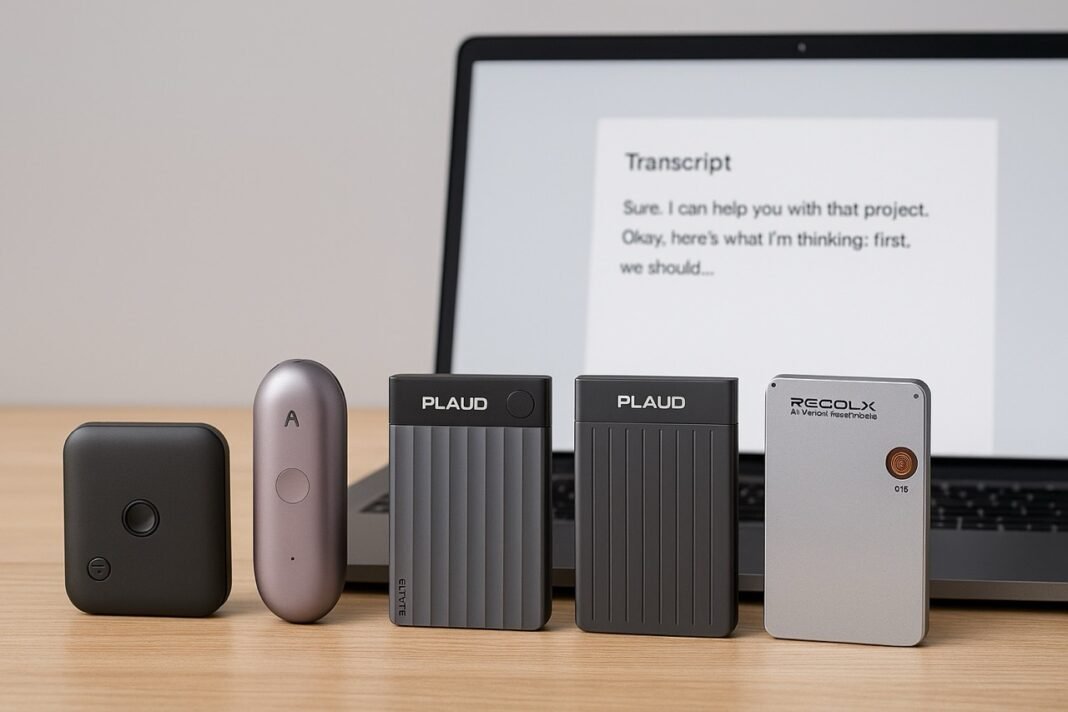
Top 5 AI Voice Recorders
1. Plaud Note Pro AI Voice Recorder — A Strong Starting Point, Not the Only Answer
The Plaud Note Pro is the recorder I tend to use as a yardstick. Not because it’s flawless, and not because it will suit everyone, but because it shows what a well‑thought‑through AI voice recorder should feel like in everyday use.
It’s slim, calm in its design, and refreshingly uncomplicated. The physical button has a clear, confident action — no guessing whether you’ve pressed hard enough — and the device sits comfortably in the hand or pocket without feeling precious. If your grip isn’t reliable, or if you’re already juggling too much, those details matter.
In practice, the Note Pro does what many devices promise but few deliver consistently: it lets you focus on listening while it quietly takes care of the capture and organisation. I used it across meetings, short voice notes, and longer sessions where typing simply wasn’t practical. It stayed out of the way, which is often the highest compliment you can give this kind of tech.
That said, it isn’t automatically the right choice for everyone. It’s priced towards the premium end, and some of its smarter features take a little time to unlock and tailor to your needs. Depending on whether you prioritise cost, wearability, automation, or simplicity, one of the other recorders in this guide may suit you better.
Think of the Plaud Note Pro as a solid benchmark: if another device can match its ease of use, reliability, or accessibility — while offering something extra or costing less — it deserves just as much attention. And a couple of them do.

Plaud Note Pro AI Voice Recorder, Transcribe & Summarize with AI, App Control, Note Taker for Meetings & Calls, Supports 112 Languages, Ultra-Slim...
Key Features
- One‑touch recording with proper tactile feedback—ideal if dexterity is limited
- AI transcription and summaries in 112 languages
- Ultra‑thin body slips into a pocket or wheelchair side pouch
- App text is large, readable, and mercifully uncluttered
Pros
- The physical button is responsive without needing force—spot on for neuropathy
- Transcriptions cope well with British accents and muffled meeting rooms
- The brushed finish doesn’t scream “medical device”
Cons
- It’s not cheap
- Cloud transcription limits apply unless you upgrade



Verdict
Buy this if you want the least effort, clearest notes, and the most forgiving daily experience.
2. Plaud Note AI Voice Recorder (Standard) – Practical, Reliable, and Good Value
The standard Plaud Note feels like the sensible option in the range. It’s a touch thicker and less polished than the Pro, but what you gain is a reassuring sense of robustness and a design that doesn’t demand much from your hands or your attention
In use, it behaves exactly as you’d hope. The record button is easy to find and press, even without looking, and recordings consistently turn into clear, readable notes rather than dense blocks of text. I used it for meetings, quick reminders, and longer conversations, and it handled all of them without fuss.
Where it really earns its keep is value. You miss out on some refinements — there’s no on‑device screen, for example — but the core experience remains solid. Transcription is dependable, summaries are useful, and once it’s set up, it largely looks after itself. For many people, especially those who want reliable help when typing is difficult but don’t need a premium finish, this will be the more sensible choice.

Plaud Note AI Voice Recorder Device/Dictaphone w/Case App Control AI Transcribe & Summarize Support 112 Languages 64GB Digital Audio Recorder for Lectures...
Key Features
- 64GB onboard storage (weeks of meetings)
- AI transcription in 112 languages
- Dual‑mode recording for meetings and phone calls
- All‑day battery life and large storage for long or frequent recordings
Pros
- Feels sturdy enough to survive being knocked about in a bag
- Button press is light—no pinching or twisting
- Excellent value for money given the transcription quality
Cons
- No screen on the device itself
- App setup takes ten minutes and a bit of patience
Verdict
Perfect if you want reliable AI notes without paying premium prices.
3. FoCase Note AI Voice Recorder – Affordable, Accessible, and Straightforward
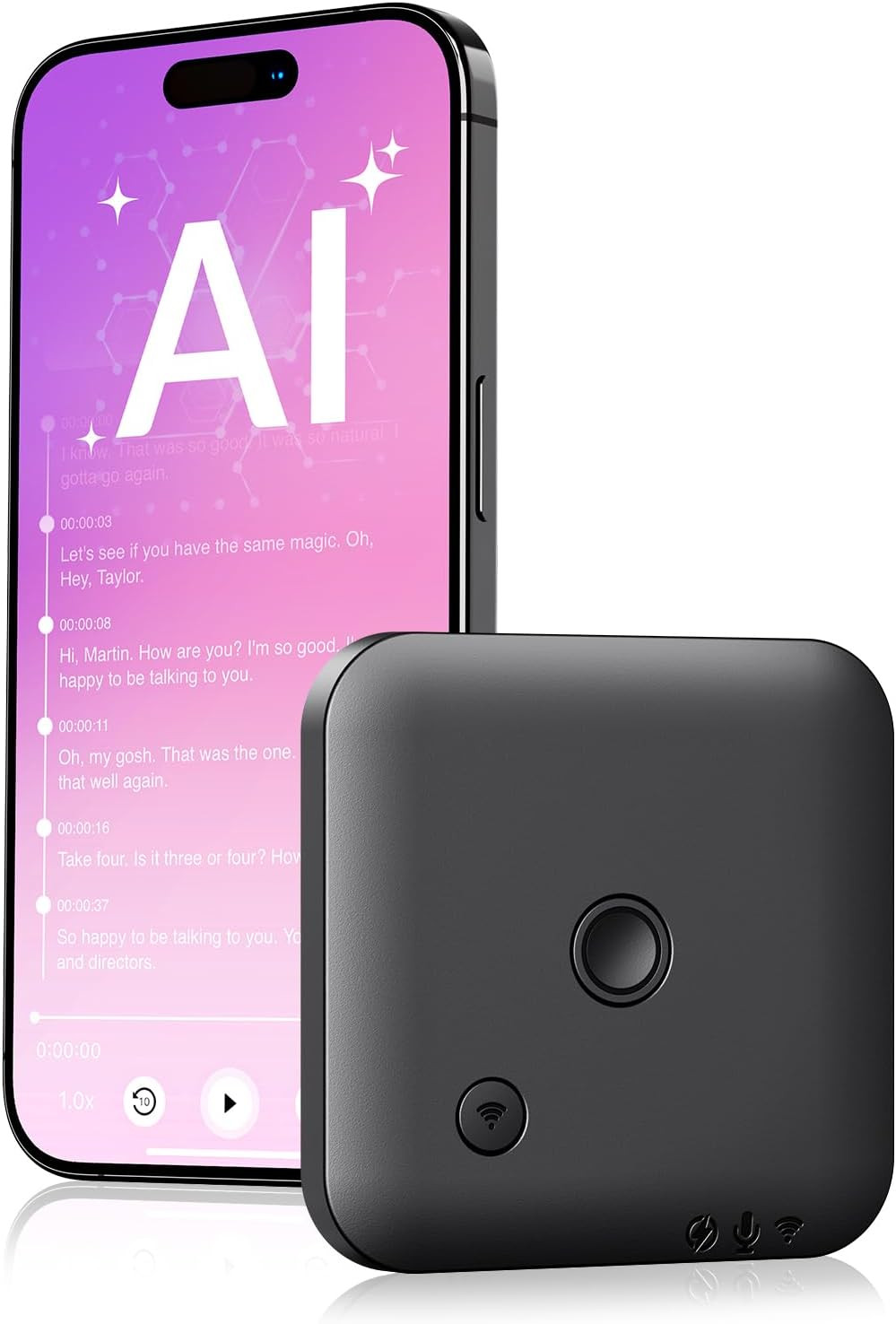
The FoCase Note AI Voice Recorder takes a simpler, more pragmatic approach than some of the pricier options in this guide. It’s lighter, more plasticky to the touch, and clearly built with affordability in mind — but that doesn’t automatically count against it.
In day‑to‑day use, the FoCase makes a good first impression where it matters. The record button is large and easy to locate, even by feel, and doesn’t require a firm press. That makes it surprisingly accommodating if your hands are tired, stiff, or lacking fine control. I clipped it to a bag strap and jacket, and it stayed put without slipping or demanding attention.
Its AI transcription is competent rather than outstanding. In quieter settings, it does a decent job of turning speech into readable notes, suitable for reminders, short meetings, or lectures. In noisier environments, accuracy drops a little faster than with the more expensive models, so it’s not the best fit if you’re often recording in cafés or busy offices.
Where the FoCase earns its place is accessibility and price. It offers hands‑free recording and basic AI support without the financial commitment of premium devices. If you want something that lowers the barrier to voice‑based note‑taking — especially when typing is difficult — and you’re prepared to accept a few compromises, this is a perfectly reasonable option.
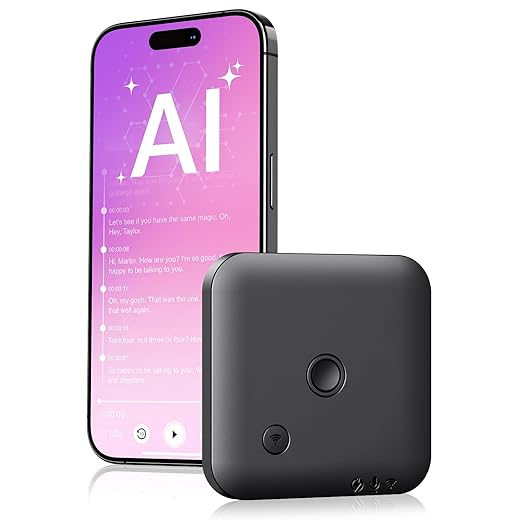
FoCase Note AI Voice Recorder, Transcribe & Summarize, Translation, APP Control with Chat GPT, Magnetic, 64GB Memory, Support 112 Languages, Audio Recorder...
Key Features
- Large monthly AI allowance for transcription, summaries, and translations
- Privacy‑first local storage with no mandatory cloud upload
- Pocket‑size magnetic design for hands‑free recording
- Clear call and voice capture using noise‑reduction and vibration sensing
- Customisable summaries using simple templates or prompts
Why it’s a Winner
- Button is oversized and easy to find by feel
- App works on older phones without judder
- Price makes it accessible for first‑time users
The Trade‑offs
- Transcription accuracy dips in very noisy cafés
- Plastic body scuffs easily
Verdict
Buy this if you want hands‑free note‑taking on a tight budget.
4. RECOLX AI Voice Recorder (ChatGPT Integrated) – Turning Recordings into Usable Notes
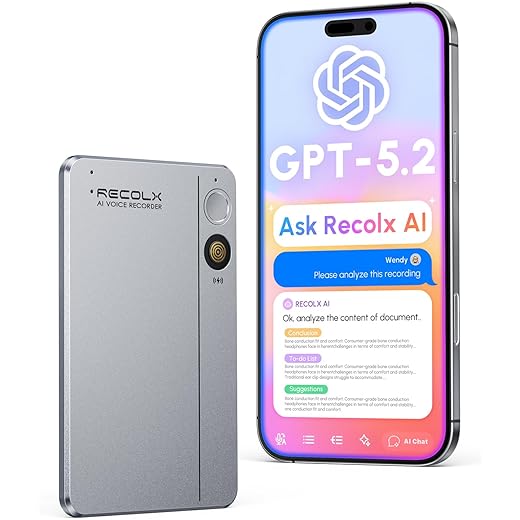
The RECOLX AI Voice Recorder takes a more analytical approach than most. Its defining feature is built‑in ChatGPT integration, which shapes how recordings are handled once the audio is captured.
The hardware itself is sturdy and functional, with a small screen that confirms recording status without pulling your focus. The buttons are straightforward, though they do require a more deliberate press than the most accessibility‑first designs here. If effortless, single‑tap control is essential, other models may feel easier.
Where the RECOLX stands out is after the recording ends. Transcripts can be queried using ChatGPT‑powered tools, letting you pull out action points, organise messy discussions, or ask direct questions about what was said. For long meetings or interviews — especially when mental energy is limited afterwards — this ability to interact with your notes can be genuinely helpful.
The trade‑off is simplicity. There are more options to navigate, and it doesn’t disappear into the background as easily as more passive recorders. But if you want your notes to do more than just exist — and you’re comfortable with a slightly richer workflow — the ChatGPT integration gives the RECOLX a clear and distinct role in this line‑up.
AI Voice Recorder, App Control, Transcribe and Summarize with 71 Pro Templates, Deep AI Analysis, Record Anytime for Meetings, Work, Lectures, 112 Languages,...
Key Features
- Clear voice capture in noisy environments using multi‑mic noise reduction
- Pre‑formatted note templates for meetings, lectures, and interviews
- Strong local encryption and privacy controls for sensitive recordings
- Easy sharing and exports for work documents and collaboration
Pros
- Summaries are neatly formatted—proper bullet points
- Screen avoids needing the phone every time
- Good for people managing cognitive fatigue
Cons
- Slightly heavier than rivals
- Screen text could be larger
Verdict
Ideal for professionals who want order, not just transcripts.

5. Plaud NotePin S – Turning Recordings into Usable Notes
The Plaud NotePin S takes a different approach from the rest of the line‑up by prioritising wearability and low physical effort over screens and settings. It’s small, light, and clips on rather than sitting in a pocket — a subtle shift that makes a real difference if your hands tire easily or you don’t want to handle a device at all.
In use, it’s refreshingly simple. The tactile record button is easy to locate by feel, and once it’s clipped in place, it largely looks after itself. I used it in meetings, appointments, and on days when holding a phone or recorder felt unnecessary or uncomfortable. Not having to unlock a screen or worry about incoming notifications helps you stay focused on what’s actually happening.
The core recording and transcription experience is reliable, producing clear summaries for everyday conversations and discussions. It’s particularly effective when you want to capture things passively — letting the device listen while you stay present — rather than actively managing notes as you go.
The trade‑off is control. There’s less immediate feedback on the device itself, and it’s not the best choice if you like checking levels or navigating menus mid‑recording. But for users who value ease, minimal interaction, and hands‑free operation — especially when typing or handling devices is a strain — the NotePin S fills a distinct and genuinely useful role in this group.

Plaud NotePin S AI Voice Recorder Tactile Record Button AI Transcription Summarization Digital Audio AI Note Taker for On the Go Meetings Interviews with 4...
Key Features
- Wearable, hands‑free design with multiple wearing options
- Simple tactile controls with one‑press recording and highlights
- AI transcription in 112 languages with clear, structured summaries
- Long battery life in a lightweight body for all‑day use
- Strong privacy and security standards for sensitive recordings
Pros
- Hands‑free recording reduces strain
- Button placement is intuitive even without looking
- Great audio clarity for carers’ meetings or consultations
Cons
- Easy to misplace due to size
- Limited onboard controls
Verdict
A genuinely useful option for users with mobility or nerve conditions.

Comparison of AI Voice Recorders
| Product | Best For | Standout Feature |
|---|---|---|
| Plaud Note Pro | All‑round premium use | Effortless one‑button recording |
| Plaud Note | Everyday professionals | Strong features for the price |
| FoCase Note | Budget buyers | Large button, low cost |
| RECOLX | Structured note‑takers | AI templates & summaries |
| Plaud NotePin S | Disability & mobility | Wearable, hands‑free design |
FAQs
Are AI voice recorders useful for neuropathy?
Yes. Models with large tactile buttons and wearable designs reduce finger strain and repeated movements.
Do they work without looking at the screen?
The best ones do. A single physical button is far better than touch‑only controls.
Is my data safe in the UK?
Most leading brands host data in GDPR‑compliant servers, but always check app permissions.
How long do they record for?
Typically 20–30 hours per charge, easily covering a full work week.
Can I use one instead of typing notes?
Absolutely—that’s where they shine, especially for fatigue or mobility issues.
Final Summary
If money’s no object, the Plaud Note Pro is the least stressful to live with. For solid value, the standard Plaud Note hits a sweet spot. For disability support and hands‑free use, the NotePin S is the quiet standout—the one I keep recommending without hesitation.