
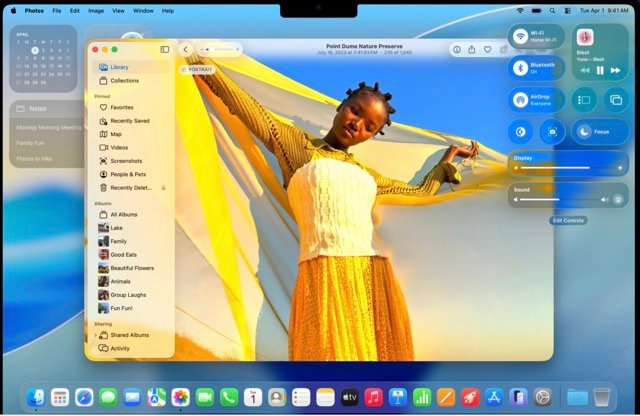

Apple has released macOS Tahoe 26.2, a follow-up update to the main Tahoe launch. This version focuses on bug fixes, performance improvements, and security patches. It does not introduce new features, but it improves how the system works in daily use. For regular Mac users, this update is recommended.
Smaller macOS updates are important because they resolve issues found after launch. They improve system reliability, close security gaps, and reduce performance problems. macOS Tahoe introduced major design and feature changes, and version 26.2 refines those improvements. This guide explains all key changes so you can understand the update clearly.
Core Performance and Stability Enhancements
macOS Tahoe 26.2 improves system responsiveness and reliability. These changes are noticeable during everyday tasks and extended workloads.
Optimized System Resource Management
Memory handling is more efficient in this update. The system now releases unused RAM faster and reduces CPU load during intensive tasks. This helps prevent slowdowns and overheating.
Older Macs, including models from 2018, benefit significantly. Users can confirm improvements by checking Activity Monitor after updating.
How to verify memory improvements:
- Open Activity Monitor using Spotlight
- Select the Memory tab
- Check that memory pressure stays in the green range
These steps help confirm reduced resource strain.
Resolved Bugs and System Glitches
Several known issues from the initial Tahoe release are fixed in 26.2. Bluetooth connection drops during calls have been resolved. Crashes in apps such as Mail and Photos have also been addressed.
Finder performance is improved, especially when opening large folders. Startup Wi-Fi delays are no longer common. Users report fewer system restarts and improved stability during professional tasks like video editing.
Battery Life Improvements
Battery efficiency has been improved, particularly on MacBooks. Sleep behavior now consumes less power, extending idle time on both Apple Silicon and Intel-based Macs.
Users can expect:
- Reduced background power drain
- Improved energy use for always-on display features
- Longer battery life during light usage
Many users report up to 30 minutes of additional screen time, especially on M-series devices.
Security Patches and Enterprise Readiness
Security remains a core focus in macOS Tahoe 26.2. The update strengthens system defenses for both personal and enterprise environments.
Critical Vulnerability Fixes
Two zero-day vulnerabilities discovered after the Tahoe launch have been patched. One affected kernel-level code, and the other targeted networking components. These fixes reduce the risk of unauthorized access and data exposure.
Keeping macOS updated is essential to maintaining system security.
Gatekeeper and Notarization Improvements
Gatekeeper now verifies applications faster and more accurately. The system detects invalid signatures more reliably while avoiding unnecessary warnings for trusted software.
Improvements include:
- Faster app verification
- Fewer false security prompts
- Better handling of unsigned scripts
These changes benefit both developers and advanced users.
MDM and Enterprise Deployment Enhancements
Mobile Device Management tools gain additional controls in this release. IT administrators can apply configuration profiles with more precision and deploy updates silently.
Best practices for IT teams:
- Enable MDM in System Settings > Privacy & Security
- Test profiles on a non-critical device
- Monitor deployment logs
These updates simplify fleet management in enterprise environments.
Refinements to Key macOS Tahoe Features
macOS Tahoe 26.2 improves existing features without redesigning them.
Safari and WebKit Improvements
Safari benefits from improved tab grouping and fixed extension issues. WebKit updates resolve rendering problems on graphics-heavy websites.
For best performance:
- Open Safari
- Go to Develop > Empty Caches
Users report faster page loading and smoother browsing sessions.
Spotlight and Finder Search Enhancements
Search indexing is faster and more accurate, especially on large drives. Spotlight delivers results more quickly, and Finder searches now include emails and documents more reliably.
Users with large libraries can rebuild the index using:
mdutil -E /
This improves search accuracy and speed.
Notification Center and Focus Mode Updates
Notifications now group more consistently, reducing clutter. Focus modes block distractions more effectively while allowing urgent alerts through.
Customization options are available in Settings > Notifications, allowing users to tailor alert behavior per app.
Developer Tools and Hardware Compatibility
macOS Tahoe 26.2 includes updates for developers and hardware users.
Xcode and Toolchain Updates
The bundled Xcode version includes:
- Swift compiler fixes
- Debugging stability improvements
- Updated Command Line Tools
Developers experience fewer build crashes and improved testing reliability.
Hardware Compatibility Updates
Kernel improvements add support for newer external GPUs and peripherals. Thunderbolt devices show improved stability, and newer Macs handle multiple displays more reliably.
Professionals using external hardware should test workflows after updating.
Conclusion: Is macOS Tahoe 26.2 Worth Installing?
macOS Tahoe 26.2 prioritizes performance, security, and reliability. It improves daily system behavior without introducing risk. For both individual users and enterprises, this update delivers meaningful improvements.
Key takeaways:
- Better performance and stability
- Important security fixes
- Improved battery life
- Refined core features
To install, go to System Settings > General > Software Update. Back up your system using Time Machine before updating.
FAQs
What is macOS Tahoe 26.2?
macOS Tahoe 26.2 is a maintenance update released by Apple. It focuses on performance improvements, bug fixes, battery optimisation, and security patches rather than new features.
Is macOS Tahoe 26.2 worth installing?
Yes. The update enhances system stability, resolves known issues, and addresses security vulnerabilities. It is recommended for all users, especially those who rely on their Mac daily.
Does macOS Tahoe 26.2 improve performance?
Yes. The update enhances memory management, reduces CPU usage during intensive tasks, and accelerates system processes. Older Macs benefit the most from these changes.
Does macOS Tahoe 26.2 fix bugs from earlier versions?
Yes. It resolves issues such as Bluetooth disconnections, Finder freezes, app crashes, and Wi-Fi delays during startup.
Will macOS Tahoe 26.2 improve battery life?
Yes. Battery efficiency has been improved, especially on MacBooks. Users may see longer idle time and up to 30 minutes of additional screen time during light use.
Is macOS Tahoe 26.2 a security update?
Yes. The update patches critical vulnerabilities, including zero-day flaws. It also strengthens Gatekeeper, networking security, and endpoint protection.
Are there Safari improvements in macOS Tahoe 26.2?
Yes. Safari receives stability fixes, better tab handling, improved extension support, and WebKit updates that enhance page rendering and loading speed.
Do developers benefit from macOS Tahoe 26.2?
Yes. The update includes Xcode and Command Line Tool fixes, improved compiler stability, and better support for modern hardware and frameworks.